
Selling products online in Thailand has become one of the easiest and most cost-effective ways to start a business. With changing consumer behavior and the rapid growth of e-commerce, platforms like Shopee have become the go-to marketplace for individual sellers, small businesses, and even large companies.
If you’re looking to start selling online in Thailand, this guide will walk you through how to sell on Shopee Thailand step by step, even if you are a complete beginner.
Why Sell on Shopee Thailand?
Opening an online store on Shopee offers many advantages:
- No physical store rental costs
- Easy product listing and store setup
- 24/7 online storefront
- Multiple secure payment methods
- Access to millions of active buyers in Thailand
- Integrated logistics and shipping services
Because of these benefits, Shopee has become the most popular e-commerce platform in Thailand, making it an ideal starting point for new online sellers.
What You Need Before Registering as a Shopee Seller
Before creating your Shopee store, prepare the following information:
1. Login Information
- Email address
- Mobile phone number
- Password
Note: Using a dedicated email for your Shopee business helps with account recovery and long-term store management.
2. Seller Identity Information
- Full name (as shown on Thai ID card or passport)
- Thai ID card or passport copy
In the early stage, document upload may not be required immediately. Shopee may request verification later.
3. Thai Bank Account
- Thai bank account number
- Photo of the first page of your bank book (Book Bank)
- Account holder’s name must match the seller’s registered name
Company Bank Account (Optional)
If you want to receive payments under a company name, you must register as a company seller from the beginning.
Shopee usually requires:
- Company affidavit (issued within the last 90 days)
- ID card or passport of the authorized director
4. Product Information
Prepare basic product data:
- Product name
- Product photos
- Product description
- Product weight
- Product price
- SKU (optional but recommended for inventory management)
Once these are ready, you can start selling on Shopee Thailand.
How to Register as a Shopee Seller in Thailand
Step 1: Create a Shopee Buyer Account
To become a Shopee seller, you must first register as a Shopee buyer.
Go to: 👉 https://shopee.co.th/ and then sign up using your mobile phone number, complete verification, and set your password.
If you use English, the first step is to change the language settings.
Go to the Shopee buyer homepage at https://shopee.co.th/ and select English, as shown in the image.

Step 2: Access Shopee Seller Centre Thailand
After registration, log in to Shopee Seller Centre: 👉 https://seller.shopee.co.th/
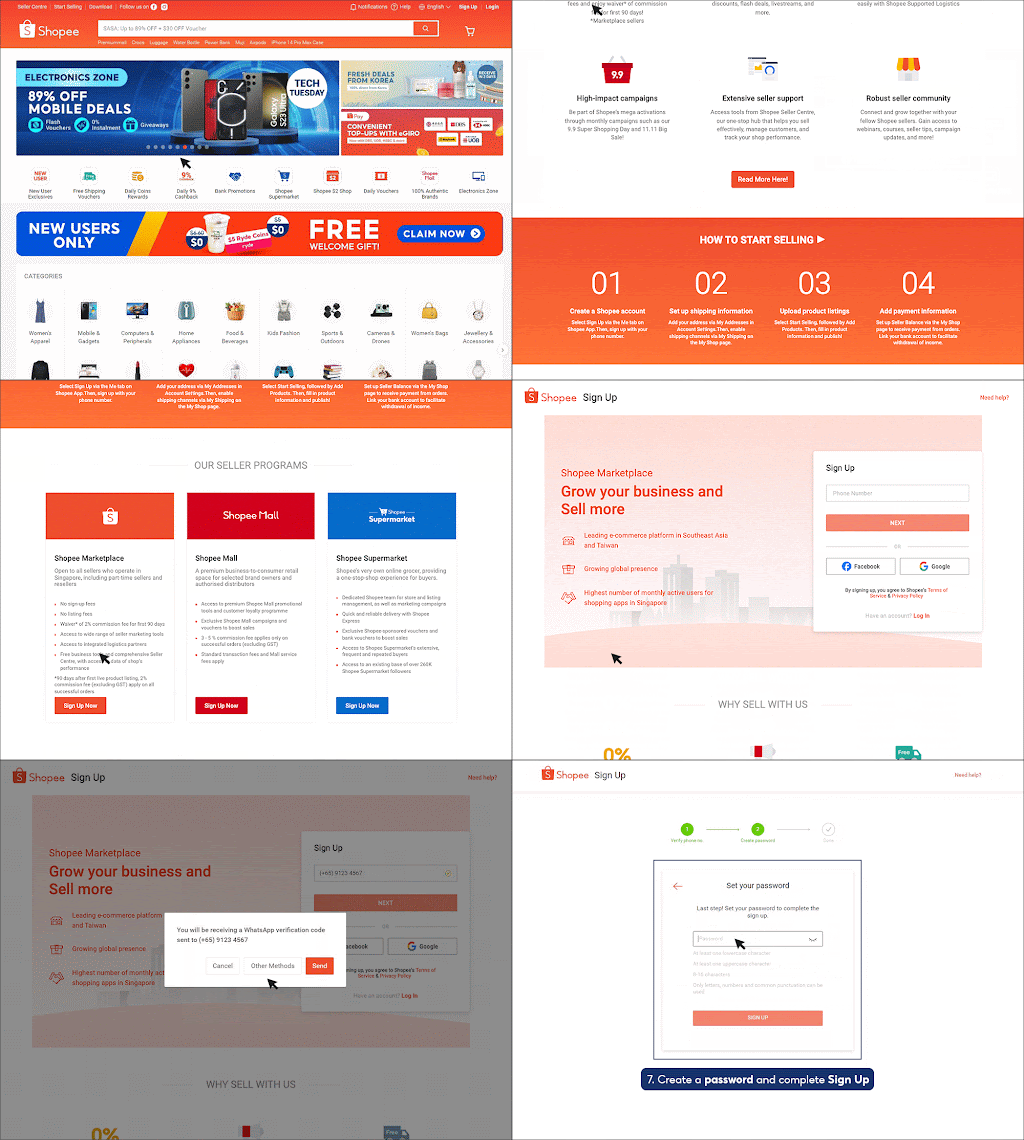
Create a Shopee account by registering with your phone number.
Follow the system verification steps by sliding the orange button.
Choose a verification method, set a password, and complete the process until finished.
Fill in your shop information, including store name and basic details.
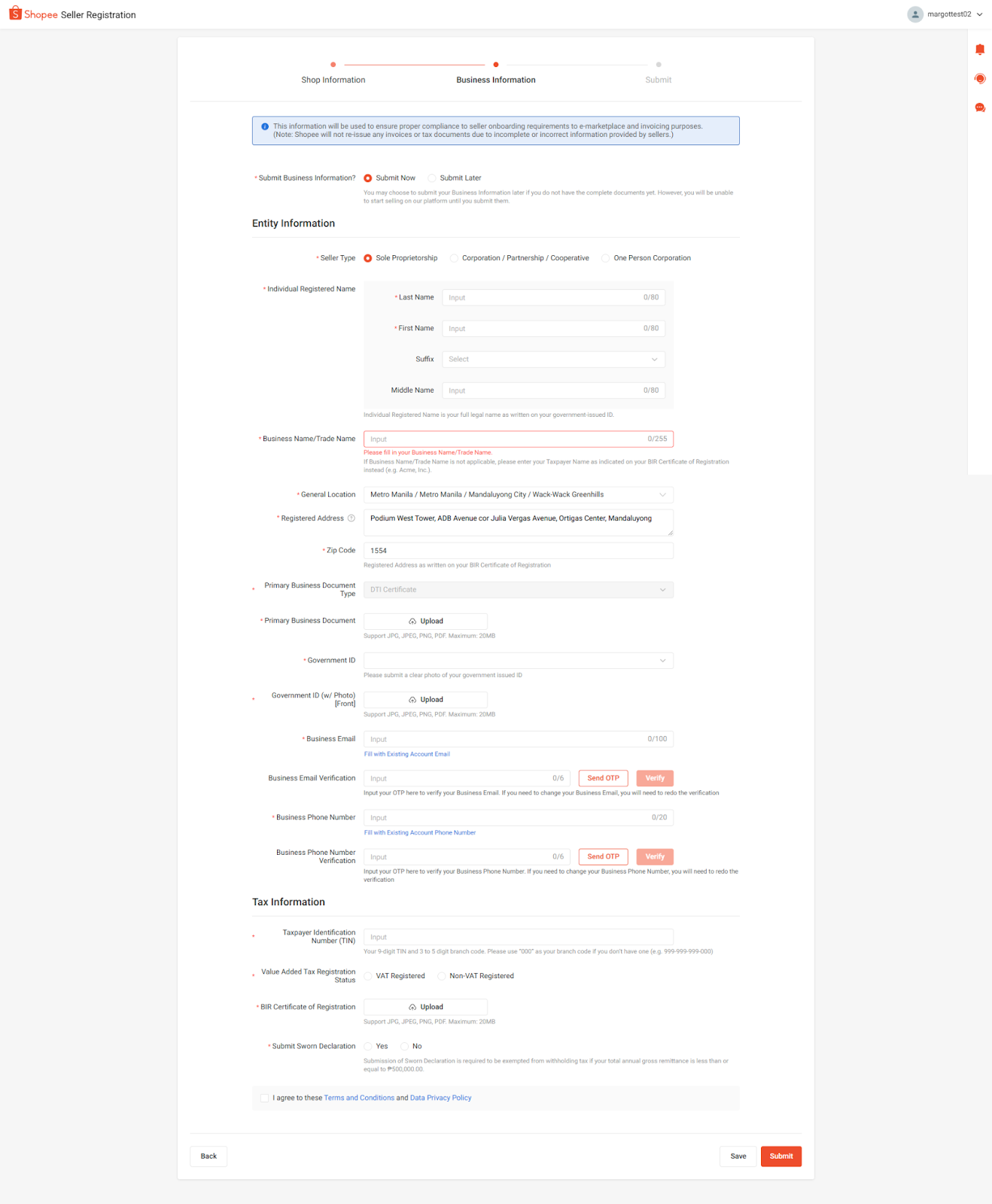
Step 3: Set Up Your Shop Profile
Navigate to: Shop Settings → Shop Profile
Here you can:
- Upload your shop logo
- Add a shop banner
- Write a short shop description
A complete shop profile helps build trust and improves conversion rates.
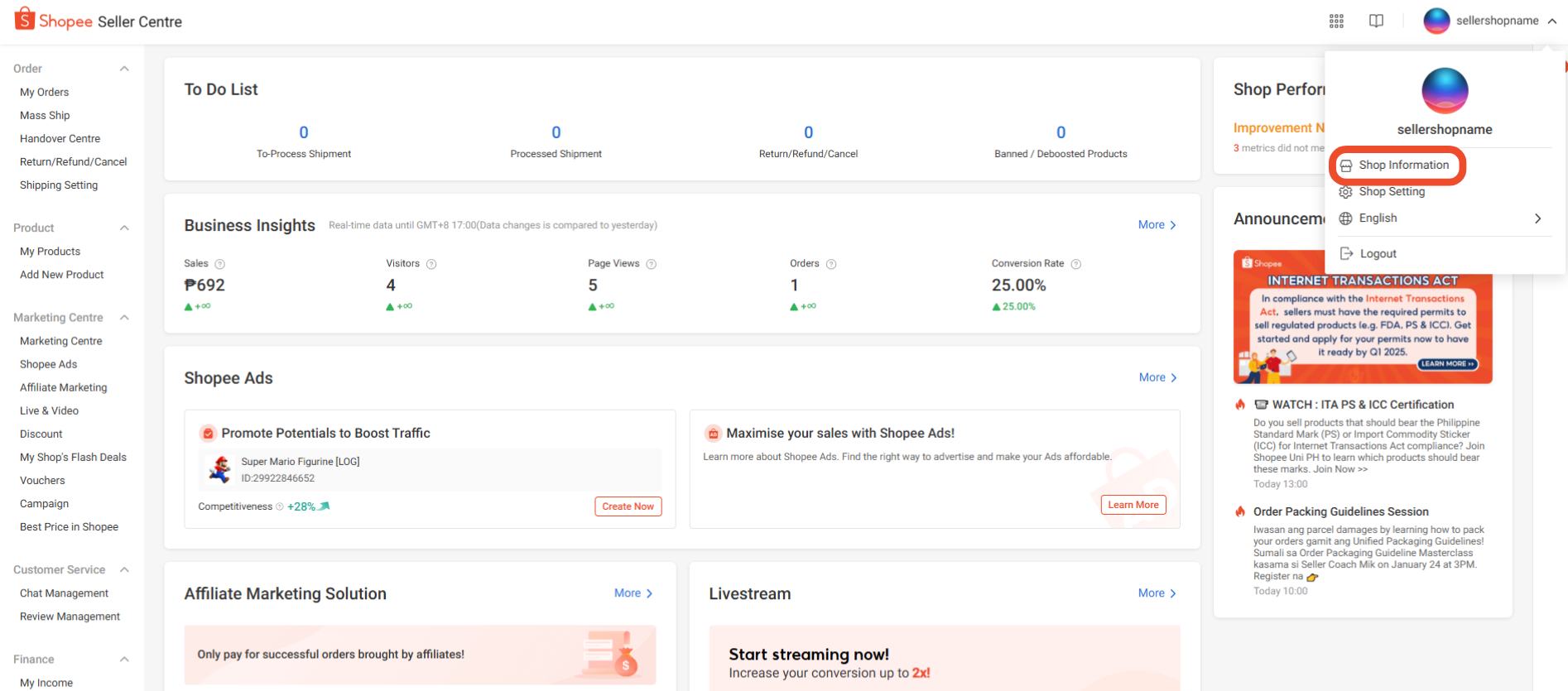
Step 4: Verify Your Mobile Number
Before listing products, make sure your mobile number is verified to prevent your listings from being hidden.
Steps:
- Enter the 6-digit verification code sent via SMS
2. Go to Shop Settings → Account & Security
3. Add your mobile number
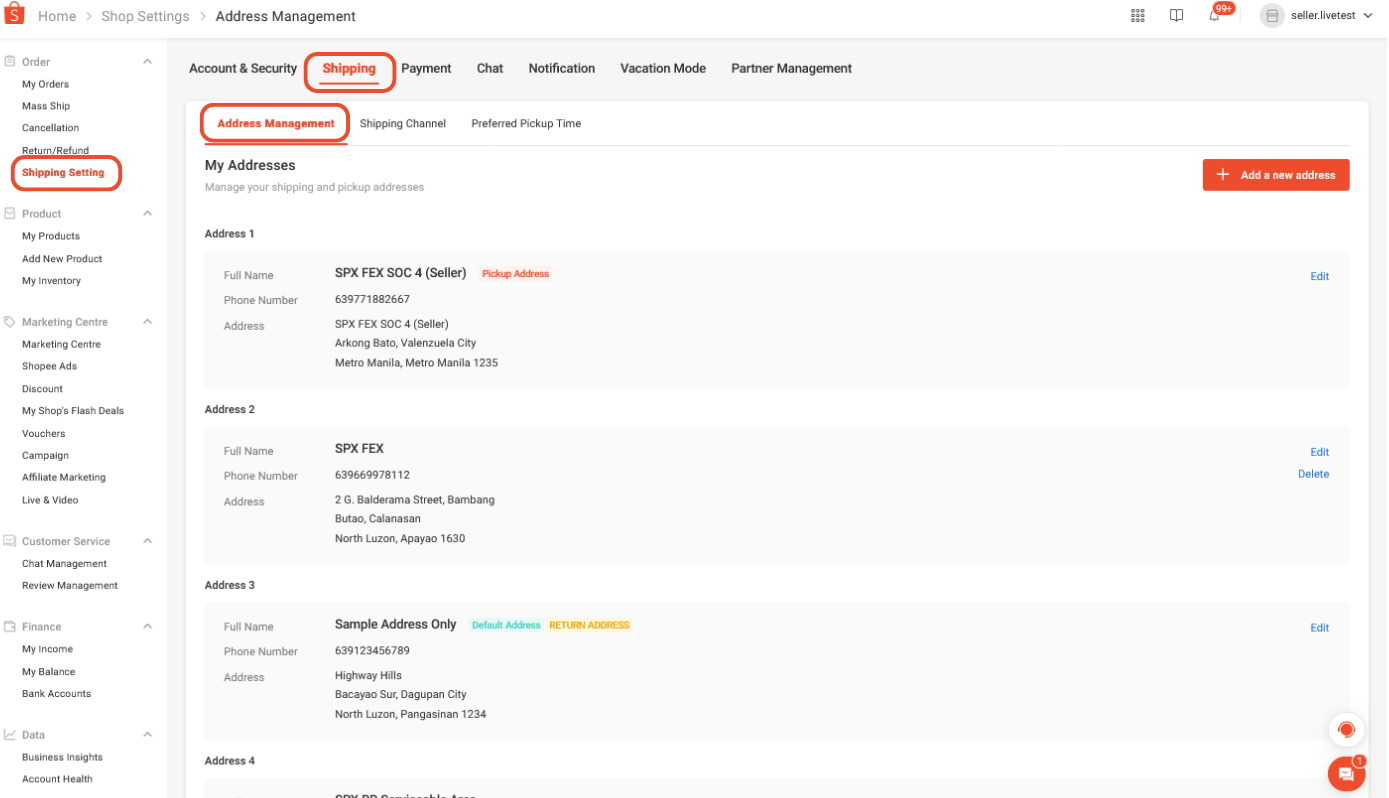
Step 5: Set Up Your Pickup Address
To ship orders, add your pickup address:
Go to: Shipping Settings → Address Management. This address will be used by Shopee’s logistics partners.
How to Create Your First Product Listing on Shopee
Before listing, review Shopee’s Prohibited and Restricted Items Policy to ensure your product is allowed.
Steps to create a listing:
- Click Add a New Product
- Enter product name, category, attributes, and description
- Upload high-resolution product photos
- Set product weight, parcel size, and shipping options


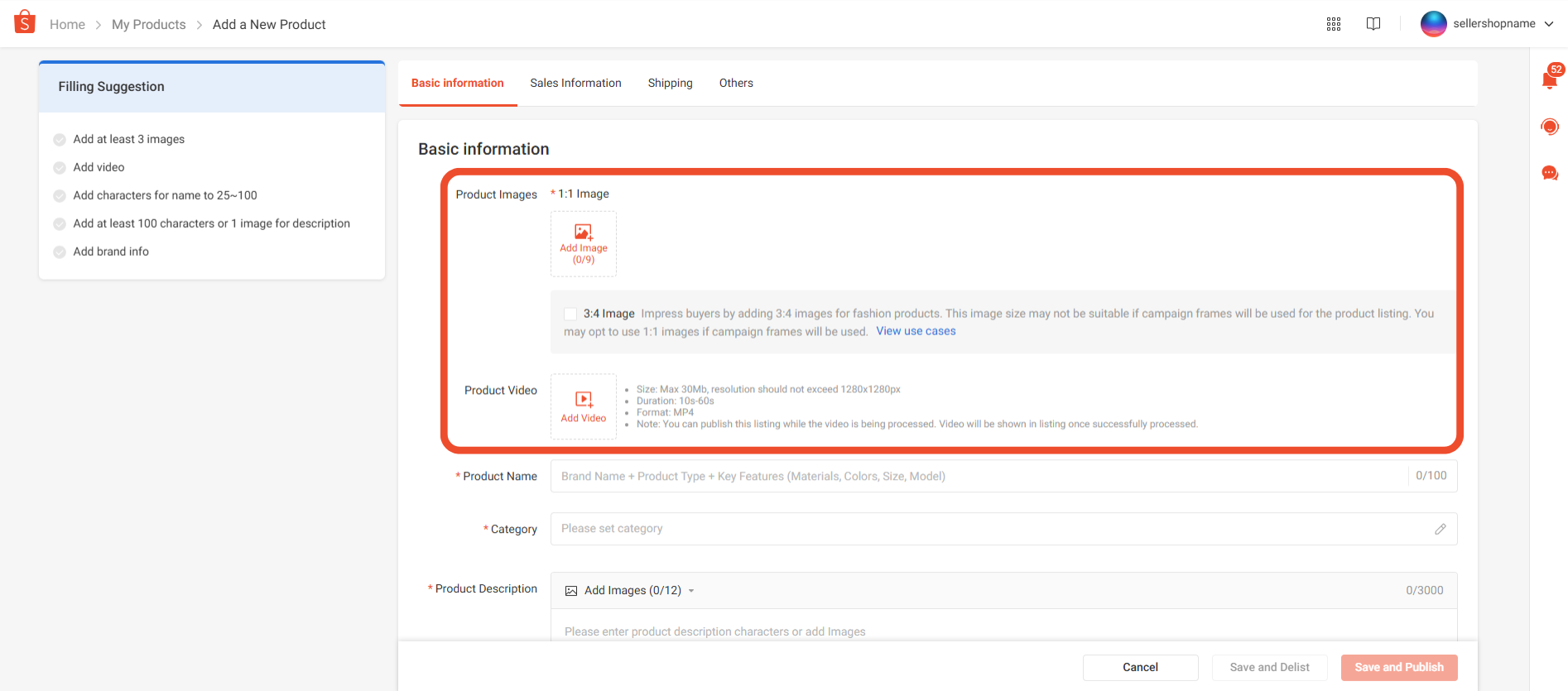
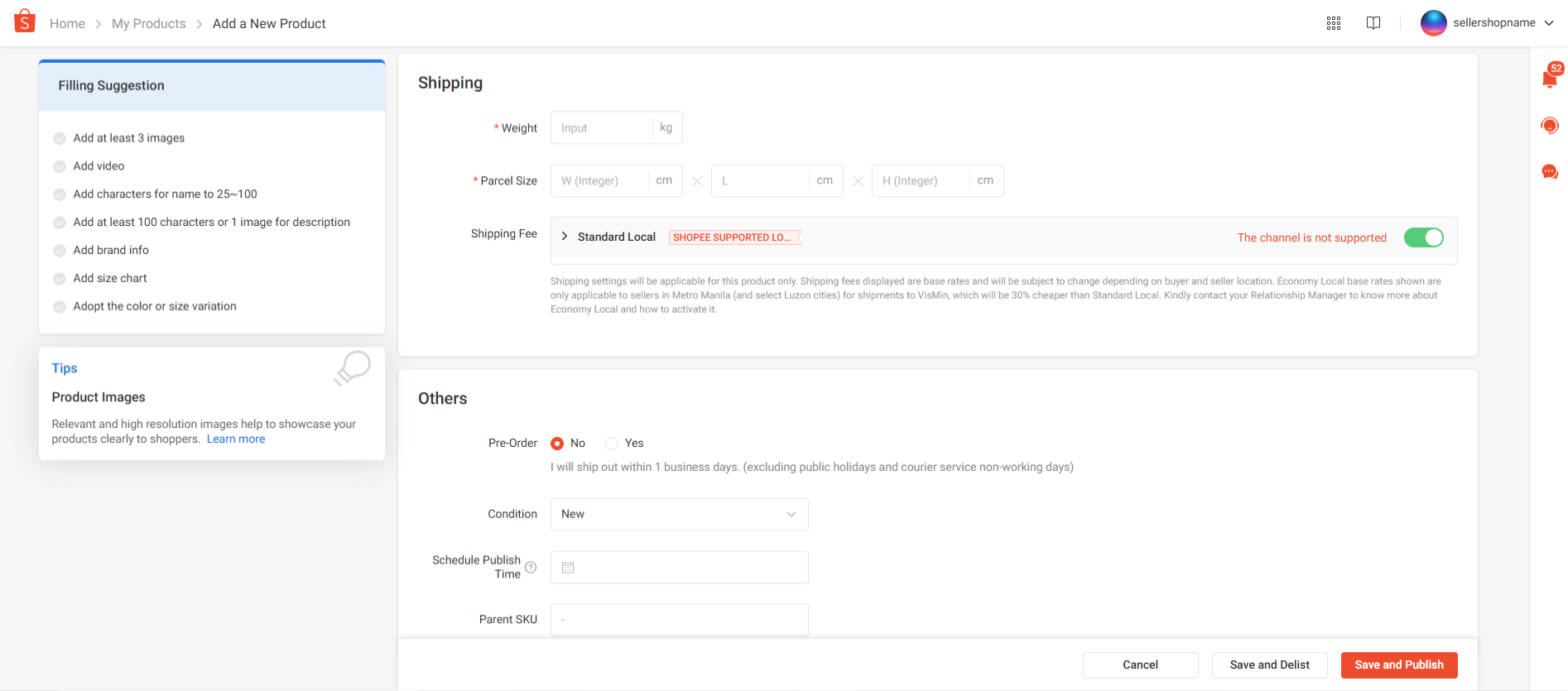
Tip: Use clear, keyword-rich product titles and detailed descriptions to improve product visibility in Shopee search results.
How to Ship Your First Order on Shopee
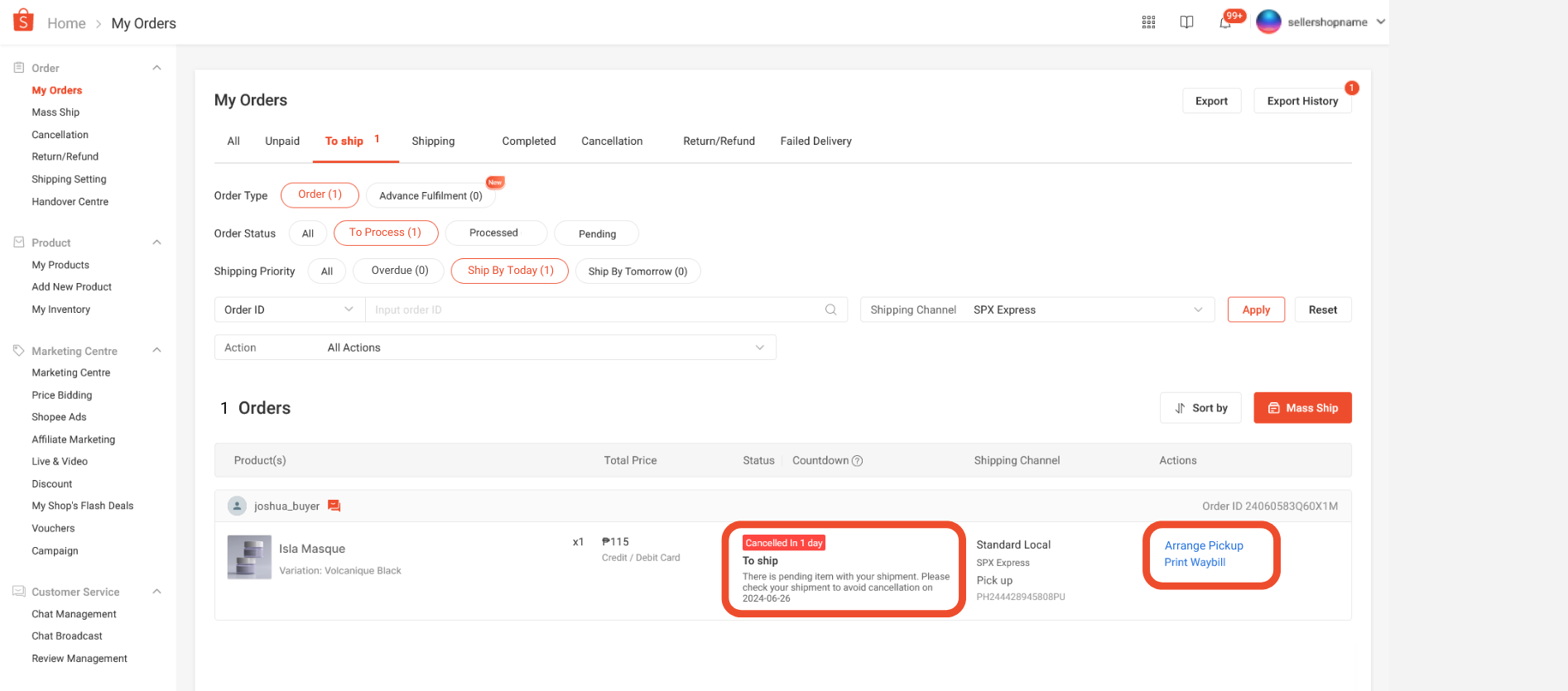
Once you receive an order:
- Go to My Sales → To Ship
- Select the order and click Arrange Pickup
- Pack your product securely
- Print and attach the waybill
- Hand the parcel to Shopee’s logistics provider
Always arrange shipment before the ship-by date to avoid penalties.
Final Thoughts: Is Shopee Worth It for New Sellers?
Yes. Shopee Thailand is one of the easiest platforms to start selling online with minimal upfront costs. With its large buyer base, integrated payment system, and logistics support, Shopee is ideal for beginners who want to test products or build a long-term online business in Thailand.